Get carrier rates back without chasing anyone
Pick the carriers who can run the lane, send one email per lane, and watch the answers come in. Carriers reply from the link or by email, with no login.
Port of Oakland → Stockton, CA 95206
40' containers · Respond by Nov 12
- Responded
Bay Drayage Co.
$685 base · FSC on file
- Opened
Delta Port Trucking
Opened 2h ago
- Delivered
Valley Container Lines
Reminder 1 sent today
- Bounced
Coastline Haulers
Mailbox not found
Send a request in four steps
Set it up
Choose the customer, the division and the respond-by deadline. Mark it terminal overflow to send an expedited email, or ask for a capacity commitment.
Pick capable carriers
Carrier selection shows the carriers whose service areas and capabilities fit the lane, ranked by response rate, conversion rate or response speed.
Check the emails
Edit the email for each lane before it goes, and save the wording as a template for next time.
Track the answers
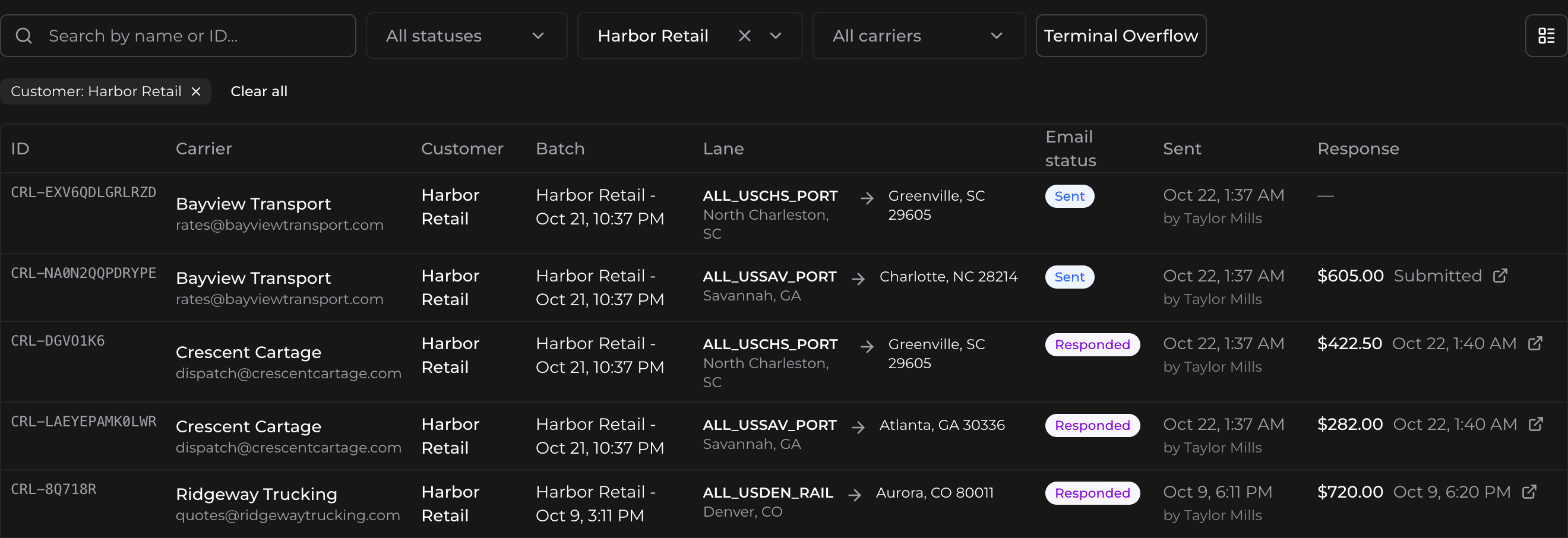
Each carrier gets one email per lane. See whether it was sent, delivered, opened, clicked, answered or bounced.
Send requests only to carriers who can run the lane
A carrier counts as capable when its service area covers both ends of the lane and it has the capabilities the lane needs, such as hazmat, residential, cross border, overweight, triaxle or reefer. The selection tells you why a carrier doesn’t fit, for example that it can’t service the origin or is missing hazmat.
Carriers fill in their own capabilities from a form that opens without a login, so the list stays current without your team typing it in.
Follow up without writing another email
Turn on automatic reminders in your company settings: up to ten per lane, 6 to 24 hours apart, sent on weekdays. Reminders stop as soon as the carrier answers, the lane is submitted, declined or bounced, or the deadline passes, and they skip any address that hard-bounced before, even on another request.
Need an answer sooner? Send a reminder by hand, for one lane or for a carrier’s whole request.
Easy for carriers to answer
Carriers open the lane from the email, with no account. Fees you already have rules for come prefilled, and they can use the fuel surcharge on file, then submit or decline. On a phone, the route map stays small above the form and opens full screen. If they would rather reply to the email, Bidi AI reads the rate from their message or rate sheet. See what carriers see.